User Testing: How to Plan, Run, and Analyze User Tests

TL;DR: User Testing
User testing is any method where real users interact with your product to reveal the problems you cannot see from the inside.
- The types: Moderated or unmoderated, remote or in person, exploratory or evaluative, quantitative or qualitative.
- The seven steps: Define the research question, choose the method, recruit, write the script, run a pilot, conduct the test, analyze and prioritize.
- The question: Not do users like it, but can a first-time user finish signup in under three minutes.
- On a budget: Five users find most problems, and a free coffee buys fifteen minutes of feedback.
You've decided to test with real users. Smart move. But which type of test should you run? Moderated or unmoderated? Remote or in-person? Five users or fifty? The wrong choice wastes weeks and produces misleading results. The right choice reveals exactly what's broken and how to fix it.
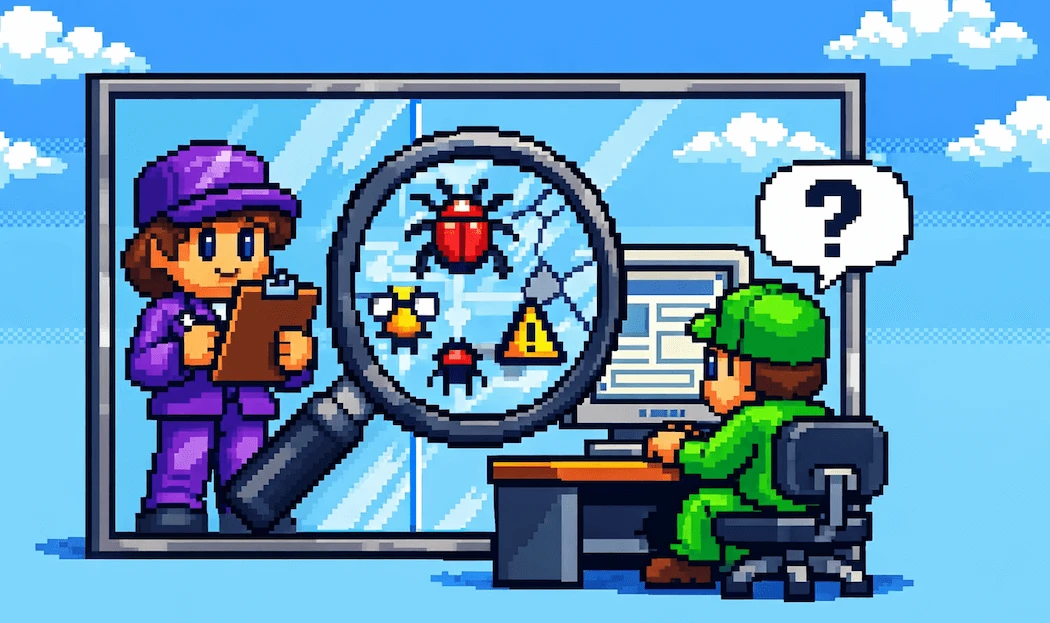
User testing is any method where real users interact with your product to reveal problems you can't see from the inside. It's the umbrella term for every technique that puts your product in front of actual people: usability testing, prototype walkthroughs, A/B comparisons, and more. This guide gives you a 7-step framework to plan, run, and analyze user tests that produce actionable insights, regardless of your budget or team size.
What Is User Testing?
User testing is the practice of observing real users as they interact with your product, prototype, or concept. Unlike internal reviews or stakeholder feedback, user testing exposes how people who don't share your team's context actually experience what you've built.
The term often gets confused with related concepts. Here's how they differ:
| Term | Scope | Focus |
|---|---|---|
| User Research | Broadest: all methods for understanding users | Needs, behaviors, motivations |
| User Testing | Any method involving users evaluating your product | Does it work? Where does it break? |
| Usability Testing | Specific type of user test | Can users complete tasks efficiently? |
User testing sits between the broad discipline of user research methods and the specific technique of usability testing. Think of it as the category that includes every hands-on evaluation method: usability tests, beta testing, concept testing, A/B testing, and guerrilla testing all fall under this umbrella.
The key principle across all user testing methods: you're watching behavior, not collecting opinions. You don't ask users if they think your checkout flow is good. You watch them try to complete a purchase and document where they succeed, struggle, or abandon.
Why User Testing Matters
Teams that skip user testing build on assumptions. Teams that test build on evidence. The difference shows up in every metric that matters: conversion rates, support tickets, development rework, and customer retention.
The investment in user testing is growing rapidly. According to Business Research Insights, the global usability testing tools market is projected to grow from $1.54 billion in 2025 to $7.86 billion by 2034, a CAGR of 19.93%. Companies aren't spending billions on testing tools for fun. They're doing it because testing pays for itself many times over.
How much? A Forrester Total Economic Impact study (2025) found that enterprises using structured user testing achieved a 415% ROI over three years, with a payback period of less than six months.
But user testing isn't just about finding problems. It changes what you test for.
"In games, you're designing intentional friction. Seamless isn't always better."
Alex Wheeler, Riot Games
This insight from a Riot Games UX researcher highlights something competitors miss: user testing isn't always about removing friction. Sometimes you're testing whether the right friction exists. A game that's too easy isn't fun. An onboarding flow that skips too many steps leaves users confused later. User testing helps you calibrate, not just eliminate. This is why user testing belongs in every phase of product discovery, not just the final validation step.
For more on usability testing specifically, see my guide on usability testing with the TEDW framework for unbiased questioning.
Types of User Tests
Choosing the right type of user test is half the battle. The wrong method wastes time and produces data that doesn't answer your actual question. Here are the four key dimensions to consider.
Moderated vs. Unmoderated
| Criteria | Moderated | Unmoderated |
|---|---|---|
| Facilitator present? | Yes, live (in-person or video) | No, self-guided via platform |
| Follow-up questions? | Yes, in real time | No, only pre-set prompts |
| Best for | Complex flows, "why" questions | Quick validation, specific screens |
| Cost per session | Higher (facilitator time) | Lower (automated) |
| Scheduling | Coordinated (both parties online) | Flexible (async) |
Remote vs. In-Person
| Criteria | Remote | In-Person | Environment |
|---|---|---|---|
| User's natural context | Controlled lab or office | Recruitment pool | Global, diverse |
| Local, limited | Body language visible? | Partially (video) | Fully |
| Best for | Software, mobile apps, websites | Hardware, physical products, kiosks | Cost |
Lower (no space rental, no travel)
Higher (venue, logistics)
For most digital products, remote testing is the default. It's cheaper, recruits from a wider pool, and captures behavior in the user's natural environment. The pandemic accelerated this shift permanently. Even companies with dedicated usability labs now run the majority of their tests remotely because the recruitment advantages outweigh the loss of in-person observation.
Exploratory vs. Evaluative
| Criteria | Exploratory | Evaluative |
|---|---|---|
| Product phase | Early (concept, wireframe) | Later (prototype, live product) |
| Question | "Does this concept make sense?" | "Can users complete this task?" |
| Output | Direction, priorities, new questions | Usability issues, severity ratings |
| Sample size | 8-12 users | 5-7 users per segment |
Quantitative vs. Qualitative
| Criteria | Quantitative | Qualitative |
|---|---|---|
| Measures | Task completion rates, time-on-task, error rates | Mental models, frustrations, expectations |
| Sample size | 20+ users | 5-7 users per segment |
| Analysis | Statistical comparison | Pattern identification |
| Best for | Comparing designs, benchmarking | Understanding why users struggle |

Which Test Type Should You Use?
| Product Phase | Goal | Recommended Method | Budget Level |
|---|---|---|---|
| Idea / concept | Validate direction | Exploratory + moderated | Low (5-8 sessions) |
| Wireframe / prototype | Test information architecture | Moderated + remote | Medium (5-7 sessions) |
| High-fidelity prototype | Validate interaction design | Moderated or unmoderated + remote | Medium (5-10 sessions) |
| Pre-launch | Final validation | Unmoderated + quantitative | Higher (20+ sessions) |
| Post-launch | Optimize conversion | Unmoderated + analytics | Varies |
How to Run a User Test: 7 Steps
Whether you're running a quick guerrilla test or a formal lab study, this framework keeps you on track.
Step 1: Define Your Research Question
Every user test starts with a question. Not "do users like our product?" but something specific and testable:
- Can first-time users complete the signup flow in under 3 minutes?
- Where do users get stuck when trying to upgrade their plan?
- Do users understand what each pricing tier includes?
Your research question determines everything that follows: which method you choose, who you recruit, and what tasks you write. Get this wrong and no amount of testing will save you.
A good research question has three qualities: it's specific (not "is our product good?"), it's observable (you can watch behavior that answers it), and it's actionable (the answer tells you what to change). Write your question down before you do anything else. If you can't articulate what you're trying to learn, you're not ready to test.
Step 2: Choose Your Method
Use the decision table above. Match your product phase, goal, and budget to the right test type. Don't default to the method you're most comfortable with. Default to the method that answers your question.
Step 3: Recruit Participants
Your insights are only as good as your participants. Recruit people who match your actual user segments.
"Five to seven users per segment. That's the magic number for usability testing."
Nikki Anderson, User Research Lead at Zalando
The "per segment" qualifier matters. If your product serves enterprise admins and individual users, you need 5-7 of each. Five users total where three are admins and two are individuals tells you nothing reliable about either group.
Write screener questions that filter for real user characteristics: recency of use, frequency, technical skill level. Exclude employees, investors, and friends of the team. You need fresh eyes, not friendly ones.
Step 4: Write Your Test Script
Your script includes the introduction, tasks, and follow-up questions. Tasks should mirror real scenarios, not feature demos.
Weak task: "Click on Settings and change your notification preferences."
Strong task: "You're getting too many email notifications. Figure out how to reduce them."
The difference: the weak task tells users where to go. The strong task gives them a goal and lets you watch how they navigate to it.
Your follow-up questions matter just as much as your tasks. Leading questions corrupt your data.
"You should never ask a user 'did you ever try to press this button?'"
That question plants an idea. Instead, ask: "What were you looking for on this screen?" or "Walk me through what you expected to happen." Let users reveal their mental model rather than confirming yours. For 50+ proven question templates, see my guide on user interview questions.
Step 5: Run a Pilot Test
Before your real sessions, run 1-2 pilot tests. These reveal problems with your script, not your product: tasks that are ambiguous, scenarios that don't make sense, or timing issues. Fix these before you spend your real participant budget.
A pilot test with a colleague is better than no pilot test. A pilot test with an actual user match is best.
Step 6: Conduct the Test
During live sessions, your job is to observe, not help. Use the think-aloud protocol: ask participants to narrate their thoughts as they work. "Just say whatever comes to mind as you're doing this."
When users struggle, resist the urge to intervene. A gentle "What would you do if I wasn't here?" keeps them working independently. The moments where users get stuck are your most valuable data.
Take structured notes: what the user did (behavior), what they said (verbalization), and your interpretation. Keep these three categories separate. Mixing observation with inference makes analysis unreliable.
Record every session if participants consent. You'll miss details in real time that become obvious on replay. Recordings also let team members who weren't present experience the user's struggle firsthand, which is far more persuasive than a summary in a slide deck.
Step 7: Analyze and Prioritize Findings
Review all sessions and identify patterns. A single user struggling at one point is an observation. Three users struggling at the same point is a finding.
Rate each issue by severity:
| Severity | Definition | Action |
|---|---|---|
| Critical | User cannot complete the task | Fix before launch |
| Serious | User completes task with significant difficulty | Fix in current sprint |
| Minor | User notices issue but works around it | Add to backlog |
Structure each finding as: Problem (what happened), Evidence (how many users, what they did/said), Recommendation (what to change). This format makes findings actionable for designers and developers who weren't in the room.
One common trap in analysis: treating all findings equally. A confusing icon label that three users commented on is not the same priority as a broken flow that prevented two users from completing their task. Severity ratings force you to distinguish between cosmetic issues and structural problems, which keeps your team focused on fixes that actually move metrics.
Common User Testing Mistakes
Even experienced teams fall into these traps. Here are the most damaging ones and how to avoid them.
Testing too late. If you test after development is complete, every finding becomes a change request negotiation. Test early with prototypes when changes are cheap. The best user test happens before anyone writes code.
Wrong participants. Testing with colleagues, friends, or power users only gives you a distorted picture. Your most valuable participants are the ones who match your actual target segment and have no prior relationship with your product or team.
Leading questions. "Did you notice the help icon in the corner?" plants the answer. Ask instead: "What would you do if you were stuck here?" Let users reveal their natural behavior.
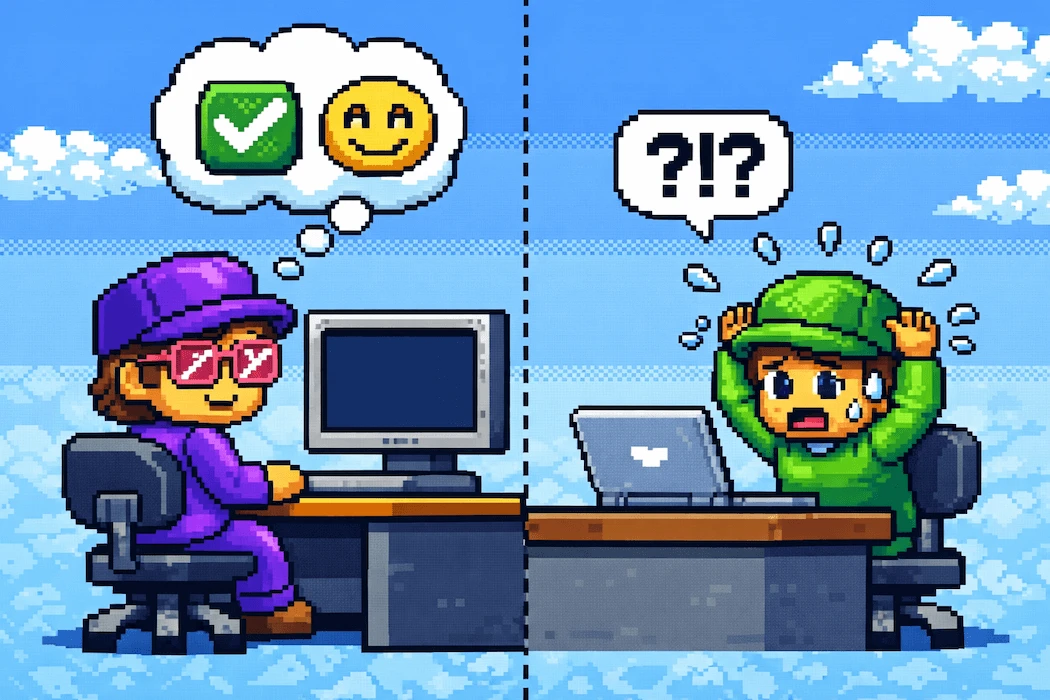
Confirmation bias. This is the biggest threat to honest analysis.
"Average human has almost 600 biases. The biggest one is confirmation bias."
Discovery Panel, Munich
You'll naturally focus on findings that confirm what you already believe. Counter this by defining success criteria before testing, having multiple team members review sessions independently, and actively looking for evidence that contradicts your hypothesis.
Acting on one user's feedback. One user's frustration is an anecdote. Three users hitting the same wall is a pattern. Never redesign based on a single participant. Wait for patterns to emerge across sessions before prioritizing fixes.
User Testing on a Budget
You don't need a research lab or a five-figure budget to test with users. Here are practical approaches for teams with limited resources.
Guerrilla testing. Set up in a coffee shop or co-working space. Offer a free coffee in exchange for 15 minutes of feedback. You won't get perfectly matched participants, but you'll catch the obvious problems that internal eyes miss. Best for early-stage validation when any outside perspective is valuable.
Unmoderated remote tools. Platforms like Maze, Lookback, and Lyssna offer free tiers or low-cost plans that let you run basic unmoderated tests. Upload a prototype, write tasks, and get recordings of users working through your flow. No scheduling, no facilitator time.
Internal dogfooding. Have team members from other departments (not product or design) use your product for real tasks. They won't match your external users perfectly, but they'll catch jargon, confusing navigation, and broken flows that your core team has become blind to. Use this as a supplement, never as a replacement for external testing.
5-second tests. Show users a screen for 5 seconds, then ask what they remember. This costs almost nothing and reveals whether your hierarchy, messaging, and visual focus are working. Useful for landing pages, dashboards, and key decision screens.
The distinction between testing and broader customer discovery matters here. Testing evaluates solutions. Discovery validates problems.
"Customer development focuses on solutions that solve customer problems AND can be sustainably built."
Cindy Alvarez, GitHub
Budget testing still produces valuable insights when you're clear about what you're testing and why. Five guerrilla tests beat zero formal ones every time.
Start Testing This Week
User testing doesn't require perfection. It requires action. Pick one flow in your product that you suspect causes friction. Write three tasks. Find five users who match your target segment. Watch them work. Document the patterns.
That's it. One afternoon of testing reveals more about your product than months of internal debate.
Here's your quick-start checklist:
- Identify the flow you want to test (highest traffic, most support tickets, or newest feature)
- Choose your method using the decision table above
- Recruit 5-7 participants per segment
- Write scenario-based tasks (goals, not instructions)
- Run a pilot, then conduct your sessions
- Analyze patterns and rate severity
- Share findings as Problem → Evidence → Recommendation
For question templates to use during sessions, see my user interview questions guide. For the specific TEDW framework for usability testing, see my usability testing guide. And for the full set of research methods beyond testing, see my user research methods overview.
The teams that ship great products don't guess. They test. And they start before they're ready.